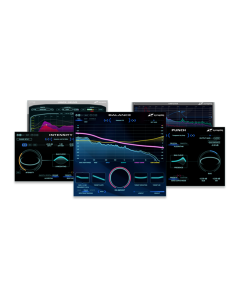
Zynaptiq Master Bundle

Zynaptiq Master Bundle

Zynaptiq Master Bundle

Zynaptiq Master Bundle Software Download (NO HARDWARE INCLUDED)
$449.00
In stock
SKU
XCH-ZYN-1063-62

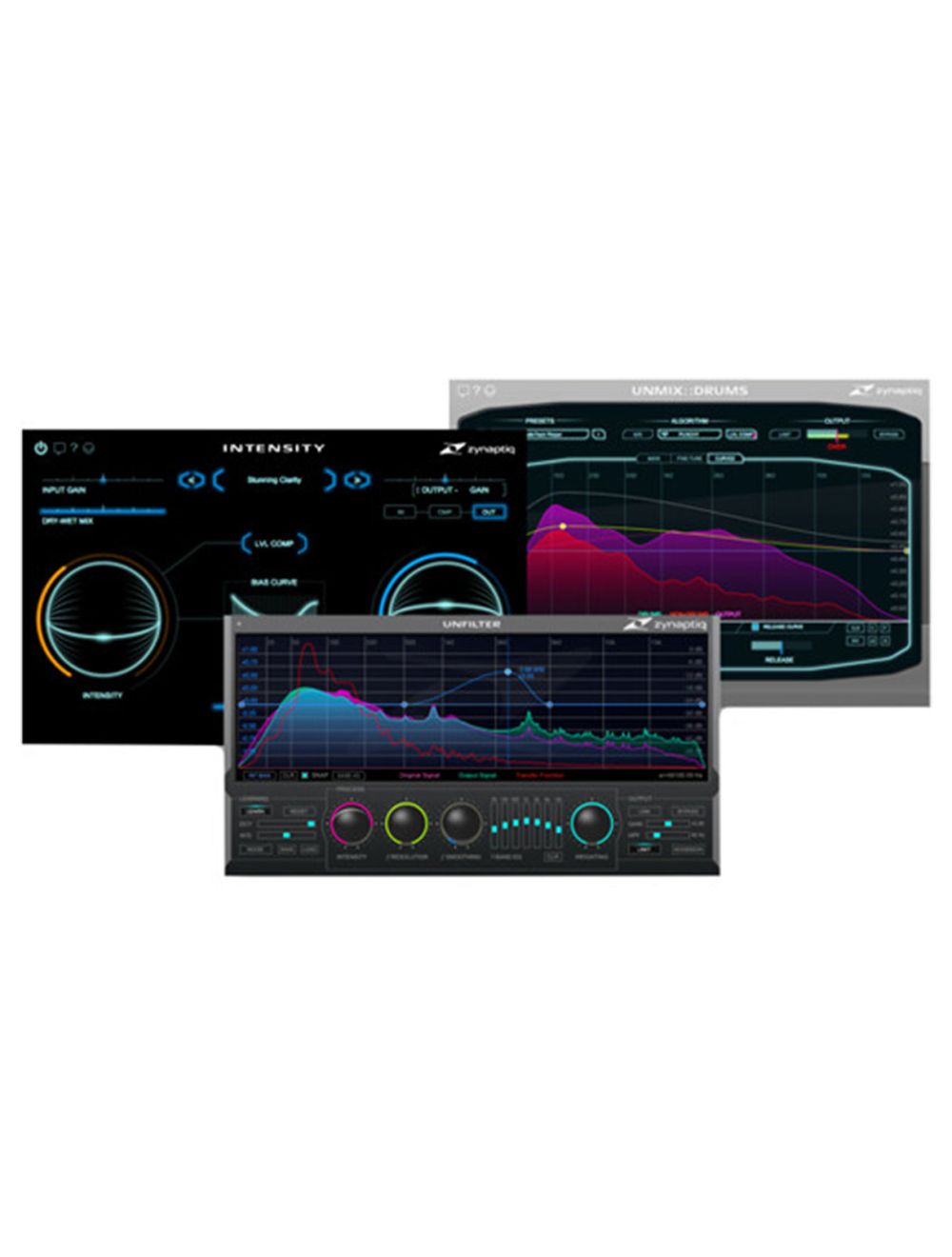
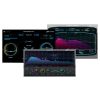
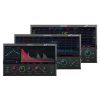
Offered together for your convenience into one downloadable package, the master bundle from zynaptiq provides three pieces of specialized software designed for the mastering process: intensity, unfilter, and unmix::drums.

Intensity is a loudness and density processor that adds clarity, detail, and loudness to full mixes. Unmix::drums changes the level of drums in mixed music, giving you up to 18 db of boost in the percussion department, if need be. Unfilter is an adaptive tonal processor that can remove comb filtering, ameliorate excessive equalization, and help with unwanted resonance peaks.

All three pieces of software are compatible with mac and windows machines and will operate in au, rtas, vst, and aax formats.

Zynaptiq intensity - loudness & density software for pro audio & sound design

Available for download, zynaptiq's intensity is software designed to bring detail, clarity, loudness, and a sense of density to audio tracks. Equally suited to mixing, mastering, and sound design purposes, intensity is not a compressor or a dynamics processor per se. Instead, it uses algorithms borrowed from the world of facial recognition software to bolster and enhance a signal's inherent qualities. Use it on the drum bus to make a loop of percussion hit harder or feel more crispy, run ambient sounds through its algorithms to bring out details within the sound bed, or slap it on the master bus to bring out the detail of individual elements within the mix.

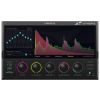
Operation is rather simple, with two prominent knobs—one called intensity, which dictates the level of processing brought to the signal, and one called bias, which makes the processing frequency-dependent. If you use bias, it will work in conjunction with the bias curve control, and here you can select among presets or create custom curves. You can add output saturation with it or mix the dry and wet amounts as well. Both of these operations can be implemented through sliders at the top of the gui.

This software is compatible with mac and windows platforms. It can operate in au, rtas, aax, and vst formats. With most of these formats, the software can work either at 32-bit and 64-bit, making it usable with the systems of many different users.

Controls at a glance

Intensity

At the heart of the plug-in lies the intensity knob. A combination of neural network based analysis and proprietary input and output transforms is used to separate the signal into broad strokes and detailed features. By boosting the details while leaving the broad strokes in place, the sound's characteristics are amplified. Though its masking effects are mitigated, its details are carved out, and the density and perceived loudness are increased.

Bias

In most cases, the intensity control is all you'll need. But the processing amount can be controlled in a frequency-dependent manner using the bias control in conjunction with the bias curves.

Bias curves


The plug-in features ten preset bias curves, including two equal loudness curves, a presence boost curve, linear tilt curves, and more. Curves are selected using a proprietary visual menu widget, which allows you to preview a setting simply by hovering your mouse over it. However, you can also create your own custom curve, which is supported by multiple macro functions.

Saturate

A traditional soft-knee saturating limiter can be switched into the output stage. From subtle glue, to mastering-style limiting, to overdrive, the saturate circuit delivers a warm, meaty tone that can also drive the level higher.

Wet/dry slider

This conventional control introduces dry, unprocessed signal back into the mix.

Zynaptiq unmix::drums - drums processor

Unmix::drums from zynaptiq is a drums processor plug-in that allows real-time attenuating and boosting of drums in mixed music. It provides drum-level control ranging from +18 db of boost to virtually complete removal, and is ideal for mastering, music production, sample-based music creation, mash-ups, remixes, and more.

Unmix::drums works equally well on a full mix or on a drum buss. It employs source signal separation and frequency-dependent technologies to shape and enhance the impact of your drums. The software offers two boost modes – smooth and punchy – which let you choose between a dry, natural sound or a tight and snappy feel that makes your drums jump from the mix. To extend the frequency range of your music, the sub-bass synthesizer adds clean, and punchy low-frequency energy to your mix or drum track, without level instabilities, false triggers or phase cancellation.

Designed for speed and simplicity, an intuitive 3-way graphical user interface ensures that you only see key parameters when or if you need them. The software comes with a high-precision analyzer display and a large selection of hand-crafted presets to get you going right-away.

Turn volume up/down

  • Takes a mixed music input and allows you to change the level of the drums relative to everything else, in real-time
  • Ranges from up to +18 db of boost to virtually complete removal of drums signal
  • Also works on drums-only bus
  • Adjust drum level and threshold controls to attenuate or boost drums loudness

Impact shaping

  • Frequency-dependent adjustment of drums level
  • Impact equalization lets you use the curves control to shape impact and punch of your drums, without using a compressor or transient processor

Smooth and punchy boost modes

  • Smooth mode is designed with a dry, organic sound in mind, for natural-sounding medium boost situations or pre-processing for drum extraction applications
  • Punchy mode produces snappy, tight sound that makes drums jump at you
  • Both modes allow boosting the drum reverb – smooth focuses on early reflections, punchy on long reverb tails

Sub-bass synthesizer

  • Sample-accurate sub-bass synthesizer adds punchy and clean low-frequency energy to your music or drums
  • Simply raise bass synth slider to taste – no level instabilities, false triggers or phase cancellation

Intuitive workflow

  • Intuitive 3-way gui design ensures you see only the parameters you need to see
  • Controls include; level compensation, high-precision analyzer display, m/s processing, hard-knee limiter, kill-switch-style drum level macro buttons
  • Hand-crafted factory presets

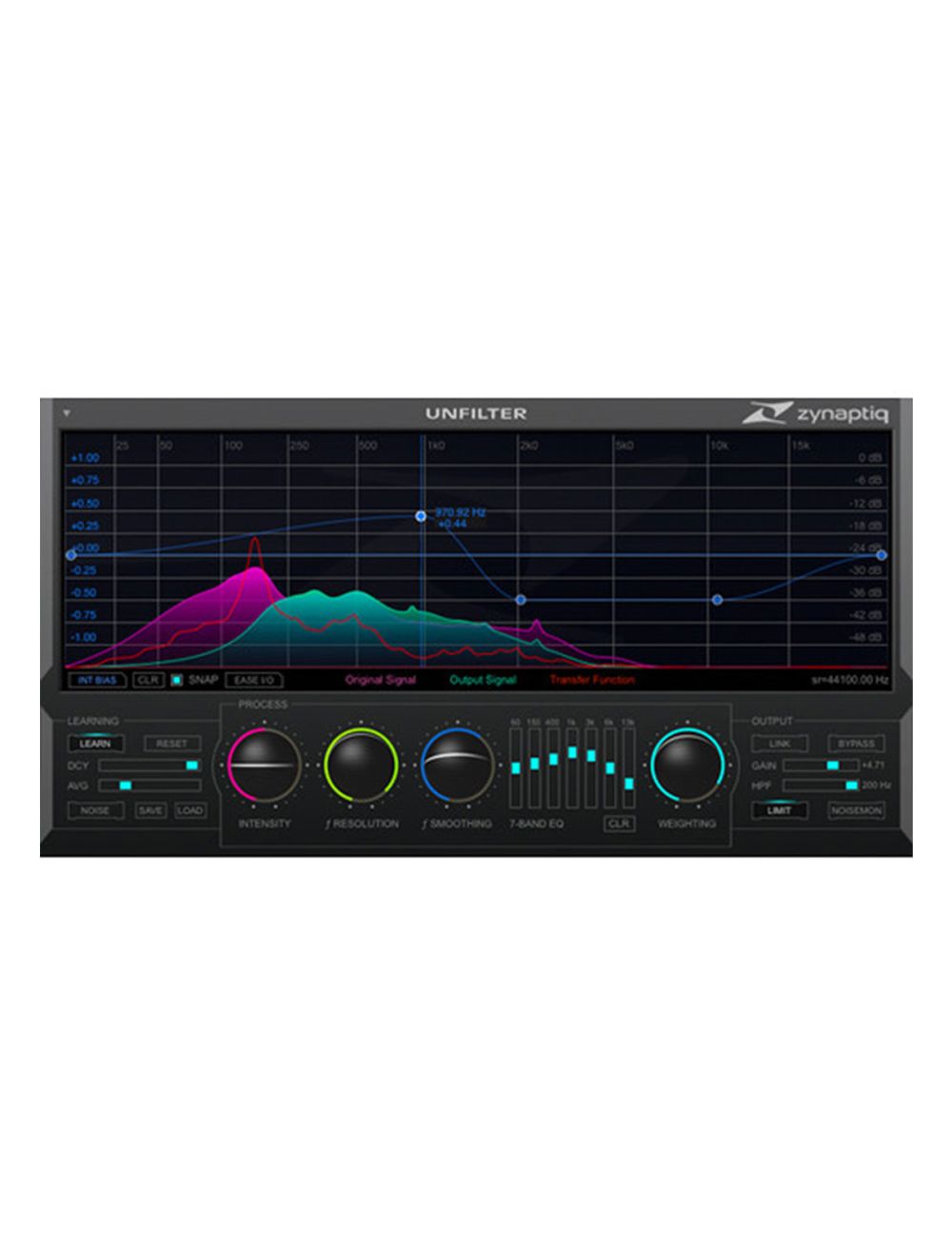
Zynaptiq unfilter - adaptive tonal contour linearization plug-in

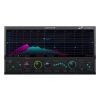
Unfilter from zynaptiq is a versatile frequency response tool with a broad range of applications. The real-time plug-in is able to automatically remove filtering effects, such as comb filtering, resonance, or excessive equalization. Applications include audio post for film sound, music production and mastering, broadcast and eng, sound design, and forensics. The plug-in can also apply a detected filter response to another signal, or export it to disk as an impulse response.

When doing post-production for film sound, the automatic recognition of frequency response anomalies is extremely useful for cleaning up production sound, and especially for enhancing the intelligibility of dialog. In music production and mastering, fine-tuning the frequency response of a signal is one of the most commonly encountered tasks. While recordings of acoustic instruments and live performances can often exhibit unwanted peaks and notches. Here the high-precision filtering engine makes it a very flexible solution for these issues.

For broadcasting audio, it is important to maintain a consistent and balanced audio spectrum, to ensure optimal performance of all down-stream systems, and to provide a high-quality, consistent and non-fatiguing listening experience to the audience. As the acoustic properties of the footage used can vary strongly to say the least, this is no trivial task. Electronic news gathering (eng) often requires using small, portable and inconspicuous devices, and/or low bandwidth transmission systems. The software's adaptive processing aids in making even the most difficult footage usable.

The ability to completely reshape the spectral contour of a signal, extract the filter response from a sound and apply it to a different file, and to solo the noisy components contained in a sound makes it an excellent tool for designing new sounds. When applied to the field of forensics, the plug-in can assist in extracting information from recordings in multiple ways. Intelligibility of speech recordings can be greatly enhanced, the filtering effects of microphone occlusion can be removed, and sounds buried beneath others can be made more audible

  • Automatically detect and remove resonances, equalization, roll-offs and the effects of comb filtering from musical, location, dialog and surveillance recordings
  • Apply the measured filter response to other signals to place them in the same "acoustic world"
  • Export the measured filter response to or import it from a linear- or minimum-phase impulse response file (wav)
  • Mastering grade adaptive, free-form and graphic equalization
  • Extremely steep 96db/octave shelving high-pass filter
  • Output limiter for unsupervised use in batch processing applications
  • Time-efficient workflow and ui

Sound for picture

  • Remove comb-filtering caused by multiple "open" microphones being mixed to one iso track, or by proximity to reflective surfaces
  • Remove resonances caused by room geometry or using shotgun microphones near off-axis reflective surfaces
  • Remove recording path roll-offs and lavalier microphone chest resonance
  • Increase level separation between dialog and background sounds
  • Make adr blend better with production dialog
  • Synthesize room tone to fill editing gaps or to layer with adr by applying a measured filter response to noise
  • Make crowd atmos, walla or dense ambience collide less with dialog
  • Manipulate apparent distance of background sounds by emphasizing room filtering effects
  • Enhance sfx and foley recordings
  • Speed up any equalization and low-cut filtering task
  • Improve mix translation to non-standardized playback environments, like tvs or pcs, by removing resonances that would add up with the frequency response of the playback system
  • Save hours of expensive mixing stage time

Music production and mastering

  • Remove resonances and other frequency response issues from recordings of acoustic instruments or live performances
  • Remove eq or filtering "printed" to tracks delivered for mix-down or mastering
  • Remove guitar cabinet coloration, or apply it to a di guitar
  • Apply corrective eq to any source within seconds
  • Exaggerate a sound's coloration to more firmly place it in its own frequency "window"
  • Remove low-mid buildup from sub-mixes and mixes without losing the "body" of the sound
  • Balance the spectrum of one or multiple songs
  • Capture the frequency response of outboard eq or other signal paths and apply it or store it as impulse response (wav)
  • Accentuate the natural low end on acoustic bass drums
  • Remove spectral peaks caused by corpus resonance, for example on bass or acoustic guitars
  • Apply a track's measured filter response to overdubs made with a different recording setup to make them blend better

Sound design

  • Extract a filter response curve from a sound and apply it to another
  • Remove the natural corpus resonance from a sound and apply a different one
  • Open or close synthesizer low-pass filters after the fact
  • Bring out aspects of a sound normally hidden behind other features
  • Synthesize drones, hiss or rumble by extracting a filter response from an example sound and applying it to noise or other broad-band quasi-/cyclo-stationary sounds
  • Use noise monitor to isolate the noisy components of a sound
  • Generate multiple object state sounds from one file for game-audio
  • Animate the frequency response of static sounds to make them more "alive"
  • Improve translation to consumer playback systems like gamer pcs
  • Generally fine-tune the frequency response of a sound with unprecedented precision

Broadcast and eng

  • Apply adaptive equalization to time-varying audio content, such as mixed music audio streams
  • Enhance intelligibility of speech recordings by removing resonances and signal path related roll-offs
  • Improve translation to consumer playback devices by removing non-linearity that would add up with those of the playback system
  • Reduce the coloration imparted by transmission through telephones, megaphones, intercoms, p.a. Systems etc.
  • Increase intelligibility of speech recorded using low-fidelity or covertly worn recording devices
  • Increase the separation of speech from background sounds

Forensics

  • Increase intelligibility of speech recorded using low-quality, occluded or damaged audio equipment
  • Make sounds buried beneath other sounds more audible
  • Increase separation between speech and background sounds
  • Reduce the filtering effects caused by telephone transmissions
  • Remove resonances and filtering effects caused by an intermediate medium, such as walls or windows

Intensity is available for a variety of formats.

On macos x:

  • Apple audiounits (32/64bit)
  • Avid rtas
  • Avid aax native including audiosuite (32/64bit)
  • Steinberg vst 2.4 (32/64bit)
  • Steinberg vst 3 (32/64bit)

On windows:

  • Avid rtas
  • Avid aax native including audiosuite (32/64bit)
  • Steinberg vst 2.4 (32/64bit)
  • Steinberg vst 3 (32/64bit)

System requirements mac

  • Apple mac computer
  • Osx 10.8.x or newer
  • Intel cpu with at least 2 cores; i7 or better recommended.
  • Apple au (audiounits), steinberg vst 2.4, vst 3 or avid rtas/aax compatible host software, processing audio as 32 bit float
  • For aax native 32-bit, the minimum required pro tools version is 10.3.6
  • com account for machine- or ilok 2 based activation (of full as well as demo versions)
  • Internet connection for software activation (though not necessarily on the computer used for audio)

System requirements windows

  • Windows 7 or newer
  • Cpu with at least 2 cores; intel cpu recommended, i7 or better recommended.
  • Steinberg vst 2.4, vst 3 or avid rtas/aax compatible host software, processing audio as 32 bit float
  • For aax native 32-bit, the minimum required pro tools version is 10.3.6
  • com account for machine- or ilok 2 based activation (of full as well as demo versions)
  • Internet connection for software activation (though not necessarily on the computer used for audio)

Copy protection

This software uses the latest pace copy protection, which allows you to place your activation on your machine or on an ilok 2* (or newer; not included). You will need a free ilok.com account to use our software, even for the the demos – but you do not necessarily need the ilok 2 dongle, if your machine has internet access (activation of a system without internet connectivity requires an ilok 2 device). All required software is installed along with our plugins, but we generally recommend downloading the latest versions directly from ilok.com.

Formats

Unfilter is available for a variety of formats

On macos x

  • Apple audiounits (32/64bit)
  • Avid rtas
  • Avid aax native including audiosuite (32/64bit)
  • Steinberg vst 2.4 (32/64bit)
  • Steinberg vst 3 (32/64bit)

On windows:

  • Avid rtas
  • Avid aax native including audiosuite (32/64bit)
  • Steinberg vst 2.4 (32/64bit)
  • Steinberg 3 (32/64bit)

System requirements mac

  • Apple mac computer
  • Osx 10.8.x or newer
  • Intel cpu with at least 2 cores; i7 or better recommended.
  • Apple au (audiounits), steinberg vst 2.4, vst 3 or avid rtas/aax compatible host software, processing audio as 32 bit float
  • For aax native 32-bit, the minimum required pro tools version is 10.3.6
  • com account for machine- or ilok 2 based activation (of full as well as demo versions)
  • Internet connection for software activation (though not necessarily on the computer used for audio)

System requirements windows

  • Windows 7 or newer
  • Cpu with at least 2 cores; intel cpu recommended, i7 or better recommended.
  • Steinberg vst 2.4, vst 3 or avid rtas/aax compatible host software, processing audio as 32 bit float
  • For aax native 32-bit, the minimum required pro tools version is 10.3.6
  • com account for machine- or ilok 2 based activation (of full as well as demo versions)
  • Internet connection for software activation (though not necessarily on the computer used for audio)
SKU XCH-ZYN-1063-62
Brand Zynaptiq
More Information
Item Returns Sorry, the item can't be returned
We found other products you might like!