aXEqualizer is an 8-band EQ designed for efficient processing of Ambisonic signals up to tenth-order. Work just like you would with a stereo EQ.
The aXEqualizer is an EQ specifically designed to let you sculpt the tone of your Ambisonic signals without harming the delicate spatial balance.
Sculpt the Spectrum
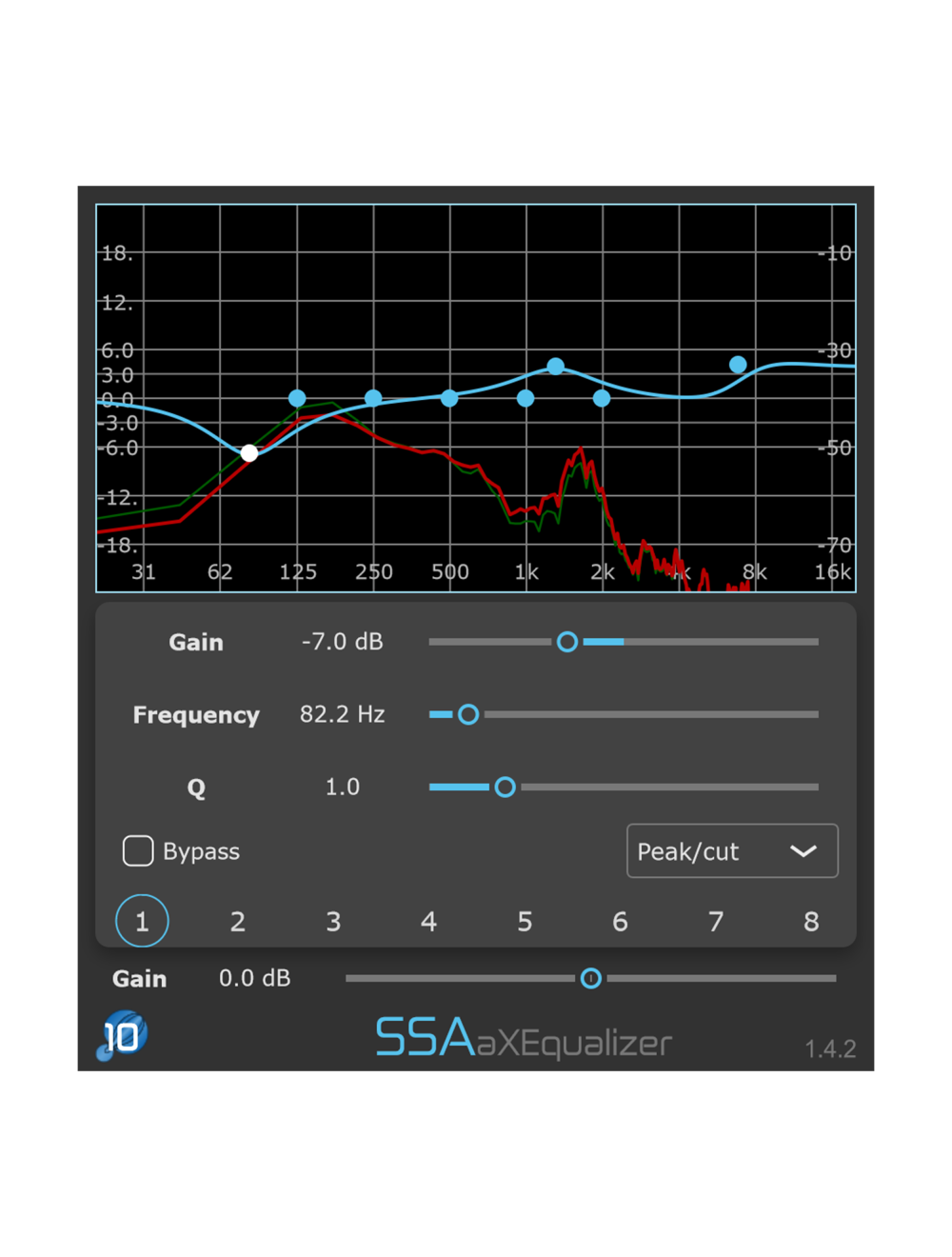
Sculpt the spectrum of your ambisonic scenes using the parameters you already know from stereo EQs. Complete control using the 8 filters in-series with individual bypass controls.
Easy, Quick Control
Control the frequency and gain parameters of each band by simply dragging a marker. Make changes quickly and with visual feedback of the changes being made to the spectrum.
Ambisonic Order Detection
Processing automatically matches the order of the input signal to optimise CPU usage when working with lower order signals. No need to manually select your ambisonic order.
Filter Gain : The amount of boost or cut applied to the signal.
Frequency : The frequency of the filter for the selected band.
Q-factor : Controls the roll off steepness or width of filters.
Filter type : Select filter type from high shelf, low shelf, peak, notch, high pass, and low pass.
Bypass : Bypass the band.
Gain : A gain applied to the output signal.
Process High Resolution Tenth-Order Ambisonics
aXEqualizer can process any order up to tenth-order Ambisonics, letting you work with the highest spatial resolution currently available*.
Currently only possible in Reaper 7+ which allows for tracks with up to 128 channels. Other DAWs are limited to seventh-order (Pro Tools Ultimate) or third-order (e.g. Cubase).
Input/Output formats
Input: Any Ambisonic channel format
Output: The same as the output
aXEqualizer filters your audio while preserving the spatial relationship between all of the sounds in your immersive scene.
Formats and Requirements
Plugin formats: AAX and VST3
Mac : Intel or Apple Silicon (Universal Binary), 4GB RAM, macOS 10.13 or later
Windows : 64bit, 4GB RAM, Windows 10 or later
All plugin formats require a host with an internal routing that supports the required number of channels for Ambisonics to function. Please check that your usual DAW can handle Ambisonics. If it cannot then you should consider using Reaper.





Login and Registration Form