

Peerless Sampling Character
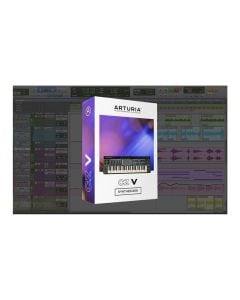
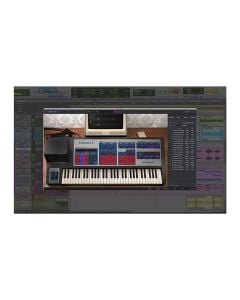
The CMI V is a spot-on reincarnation of the first commercially available digital sampling system in music history—the sonic powerhouse behind numerous early MTV-era megahits. We even went the extra mile and added new creative features that weren’t possible back in the day.
In 1980, the Fairlight CMI turned heads with the introduction of digital sampling. Now our software homage lets you turn some heads yourself.
With exotic new sound of digital samples, the promise of an all-in-one digital workstation, and a physical design right out of a sci-fi movie, the Fairlight CMI was an object of desire for most self-respecting ‘80s keyboardists. Countless musicians and producers weighed the risks of bank robbery in order to afford one. No need today. Our faithful recreation gives you the same tools that many MTV stars used to make a cannonball splash into the pool. We’ve even made lots of improvements and additions that bring added power to this keyboard legend, including an alternate additive synthesis engine and tons of new modulation options. No vintage keyboard collection is complete without the CMI V.
Now it’s your turn to experience the sound and power of the digital workstation that started it all.
The Unique Musical Architecture Of The Cmi
The CMI V Isn’t Just A Digital Instrument. It’s a Complete Digital Workstation.
Our enhanced reproduction of this keyboard superhero lets you work with 10 digital instruments of your choice at once—mixing, layering, splitting and sequencing them as you please. Each instrument can draw from three different means of sound generation. The most obvious is the sampling engine that literally first defined the term in the industry. You can also shape sounds with the original additive synthesis engine where you control each of the component harmonics over time. We’ve even spun up the propellers and introduced a newer, simpler means of exploring additive synthesis like you’ve never heard it before named Spectral Synth. You also get around 300 expertly designed presets to get you going—including the original library of sounds you’ll recognize from countless hit recordings.
The CMI V has everything you need to explore the intersection of sampling and digital synthesis.
The Original Digital Sound Design Powerhouse
If you want to sculpt sounds in the digital domain, the CMI V brings you a complete artists toolbox.
There are a zillion ways to shape sounds with the CMI. Work with a sample from the included library, or load in one of your own. Set the start and end points for the sample and loop. Modify the resolution to juice some interesting side effects. Resynthesize the sample into the additive synth domain for a harmonic representation. Create custom envelopes to control how each harmonic behaves over time. Change the sine waves that make up those harmonics to more complex waveshapes. Add multiple custom modulations to just about any sonic parameters you can think of. Heck, turn those modified additive harmonics back into a sample and sculpt your sound more back in that domain.
The CMI V gives you limitless creative options and sonic variety that are completely unique to this legendary sound design workstation.
The Sound Heard Around The World
Many cutting edge ‘80s songs were fueled by the equally cutting edge sounds of the CMI. Now you can relive the glory days of MTV.
You know the sound of the CMI because it was everywhere—and still is. Consider the ear candy on Kate Bush’s “Running Up That Hill”. The rhythmic frenzy of Herbie Hancock’s “Rockit”. Peter Gabriel’s exotic “Sledgehammer” shakuhachi. The impossible horn line on Yes’ “Owner of a Lonely Heart”. The breathy vocal-flute on Tears for Fears’ “Shout” and “Everybody Wants to Rule the World”. Trevor Horn’s pulsing Page R bottom-end collage on “Relax” by Frankie Goes to Hollywood. Speaking of Hollywood, there’s Duran Duran’s “View to a Kill” Bond theme. How about Jan Hammer’s pitch-processed drums on his weekly “Miami Vice” TV scores? And MTV favs like “Close (to the Edit)” by Art of Noise and Yello’s “Oh, Yeah” are poster children for all things CMI.
Whether for cover-gig authenticity or just basking in nostalgia, CMI V delivers the fun novelty of songs that still fill the classic rock airwaves.
Three Types Of Digital Synthesis In One
The CMI V workstation lets you work with multiple instruments and sound generation technologies at the same time.
With the CMI V, you have up to 10 instrument slots to work with in parallel for layering, splitting and multitracking. Each can be saved and recalled independently, in addition to being parts of full presets. Each can also use one of three sound engines—the original sampler and additive synthesis modes, plus a new Spectral Synth we’ve brought to the party.
Sampler
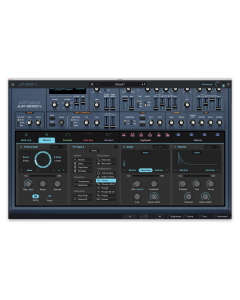
The Sampler section is the heart of what put the CMI on the musical map and where most of the action happened on all those ‘80s recordings. You’ll recognize now-standard waveform display, including the ability to drag start time and length for both samples and loop points. You can even visualize the waveform in 3D. Tuning, envelope, filter and vibrato settings are also available to further shape your sound and performance.
In addition to the onboard instrument library, the Sampler lets you load one of your own sample files for additional processing and performance options. You can instantly vary the playback sample rates of any samples from the digital dirt of 2.1k all the way up to 44.1k for modern CD quality, usually discovering interesting side effects along the way. We’ve also extended the original paltry sample length by a mile—up to 30 seconds long for evolving instruments and soundscapes.
Time Synth
Time Synth mode puts a powerful additive synthesis engine at your disposal. Determine how your sound animates by dragging multiple breakpoints on the independent envelopes for each of 32 harmonics. A real-time oscilloscope helps you visualize your work. We’ve augmented the original simple sine waves for harmonics, allowing you to easily experiment with additional simple waveforms or more harmonically complex wavetables as the source for each harmonic—opening up a ton of creative possibilities. You can start from scratch, modify a preset, or work with a sample you’ve converted from the Sampler page.
Spectral Synth
Our new addition of Spectral Synth mode gives you a different take on additive synthesis. Rather than setting the individual harmonics, you affect an overall distribution curve of harmonics with controls including Center, Spread, Bias and Fundamental Boost. Modulating these parameters with functions and controllers provides another great way to add motion and energy to your sound designs. As with the Time Synth, you can select different waveshapes in order to pioneer sounds beyond those based on simple sines. All totalled, Spectal Synth mode gives you an easier way to tame additive synthesis that also produces different new sonic results.
Cross-Synthesis
The CMI V features the original Fast Fourier Transform (FFT) function that gives you the power to analyze a sample and convert it to a harmonic profile to further manipulate using all the unique harmonic controls only available to you in Time Synth mode. Our faithful modeling of this functionality means that, like the original, you get some unpredictable artifacts during the conversion process that can be musically useful themselves. You also have the option of converting your additive synth work into a sample in order to employ the Sampler’s display and controls in further defining your sound.
CMI V merges the worlds of sampling and additive synthesis to give you the power to design new sounds that are uniquely yours.
Modern Modulation
The CMI V adds contemporary modulation sources and routings to inspire new sounds that were once only dreams.
Assign Tab
We’ve smashed through the limited modulation capabilities of the original instrument. The CMI V’s new Assign tab lets you map control and modulation sources to just about any system parameter. Simply click the Map button above the desired source, click/drag the parameter you want to control in the lower panel to the desired offset amount, and click the Map button again to commit. Want to control sample start time with the keyboard? Done. Trigger a crazy pitch warble on every note using a sick envelope. Bring it!
Going further, you can map a single control or modulation source to multiple parameters simultaneously or vice versa. Hovering over a Map button illuminates all associated targets for easy visualization of assignments. You’ll love the creative options this added flexibility brings to your programming adventures.
Function Generators
Each instrument has its own six independent Functions you can set up as envelopes, LFOs, and tracking curves, ready to map to a plethora of destinations on the Assign tab. You can click and drag numerous breakpoints, drag the curvature of each segment for very detailed control, and even specify randomization ranges for each point.
In Time mode, the Loop switch causes a Function to repeat for use as an addition LFO—anything from a simple ramp or trill to the exotically complex. Other options are provided for detailed control over how a Function retriggers and runs, plus the ability to sync it to multiples or divisions of your DAW tempo to add exciting animation to whatever parameters you choose.
In Control mode, the position along your Function curve is determined by the current value of a controller you associate with it, rather than by time. For example, if your Function is controlling envelope damping and being controlled by the keyboard, you could draw your Function so there’s more or less damping as you play up and down the keys.
More Modulation
While we’ve worked long hours to bring you new modulation functionality, all of the CMI IIx originals like the Vibrato section are still in place. We’ve upped the complement of assignable left-hand controllers to six sliders and six switches that are now available in the Assign and Functions tabs. You now also have a convenient dedicated set of front panel performance sliders for instant access to common sonic parameters like filter, attack, damping, sample start, and more. MIDI is well in hand with the ability to map standard controllers like velocity, mod wheel, aftertouch, and others, to just about any parameters you can imagine for intimate performance control. Of course, with our standard MIDI Learn capabilities, the sky’s the limit for controller mapping.
Assignable Functions and other modulation options bring a whole new level of sound design and performance control to your work.
A Complete Workstation
Everything you need from sequencing to mixing to alternate tuning is included in the CMI V.
Page R Sequencer
CMI V lovingly brings back the Page R sequencer, the first commercially available screen-based pattern sequencer. Its quantized, pattern-based workstation implementation changed both the way music sounded and was composed—including further opening up production to talented creatives regardless of their musical motor skills. Page R is crude by today’s standards, yet we’ve included it as part of our commitment to completely faithful reproductions. We’ve given the pattern grid a modern makeover, allowed real-time transposition, added two more tracks, implemented polyrhythm mode with variable track lengths, incorporated swing, and more. One can never have too many sequencers, right?
Mixer
With all this multi-timbral workstation power, you’ll appreciate an intuitive mixer. The Mixer page gives you all the control you’d expect in managing and balancing the CMI V’s 10 instrument channels in stereo, including an aux bus and master. You’ll also find 13 inspiring studio-quality effects to extend your sound designs right on board—all your workhorse favorites plus more exotics like Leslie rotating speaker and the bit-smashing Destroy. You can route one effect per instrument, one on the aux return, and two on the master. It’s easy to set up things like a variable amount of aux bus reverb feed from each instrument, plus apply overall compression and limiting on the master.
Tune/Map
The Tune/Map page lets you specify the root note, range, MIDI response channel, and polyphony for each individual instrument slot—indispensable in setting up splits and layers for more complex performance, instrument stacking options, or DAW assignments. This page also has you covered when it’s time for outside-the-box sound design or microtonal music, because you can also control global temperament to the extreme.
Breaking The Sound Barrier
Now you finally get to harness the all the power of a digital workstation that many musicians lusted after, but few could afford.
The CMI’s revolutionary sounds and sequencer helped define the synth-pop era—an essential tool for all-star artists including Stevie Wonder, Jan Hammer, Peter Gabriel, Duran Duran, Todd Rundgren, Howard Jones, Art of Noise, Thomas Dolby, Kate Bush, Pet Shop Boys, Jean Michel Jarre, Alan Parsons Project, and too many more to mention. A team of top CMI programmers has burnt the midnight oil to inspire you with the original signature sounds, plus a boatload of new timbres only made possible through our feature enhancements—approximately 300 in all. You can use this extensive library to start making music immediately, as well as the foundation for exploring your own creations using the system’s confluence of sampling and additive synthesis goodness.
Preset Browser
Our redesigned preset browser lets you quickly find just the sound you’re looking for.
Search by name or simply select the appropriate tags to dial in on the exact sonic character you’re looking for. You can mark and recall your own favorites, enter comments, and set up playlists. There’s never been a more intuitive way to manage your library of designer and personal presets.
Resizable GUI
The user interfaces for all your Arturia instruments are now resizable, making it easy to work with any High Resolution screen, UHD or Retina.
You can decide whether you want to fill the screen with awesome graphic reproductions of classic instrument goodness, scale the window down when you’re working in a DAW and screen real estate is at a premium, or even zoom for detailed work.
System Requirements
Windows
Mac
Required Configuration
| SKU | XCH-ATA-1090-50 |
|---|---|
| Brand | Arturia |
| Item Returns | Sorry, the item can't be returned |
|---|


Login and Registration Form